Everything you need for confident hiring
From reusable templates and keystroke replay to program analytics and role-based teams—powerful features for HR, hiring managers, and program leads who need fast, accurate, and actionable typing assessments.
Design assessments that fit the role
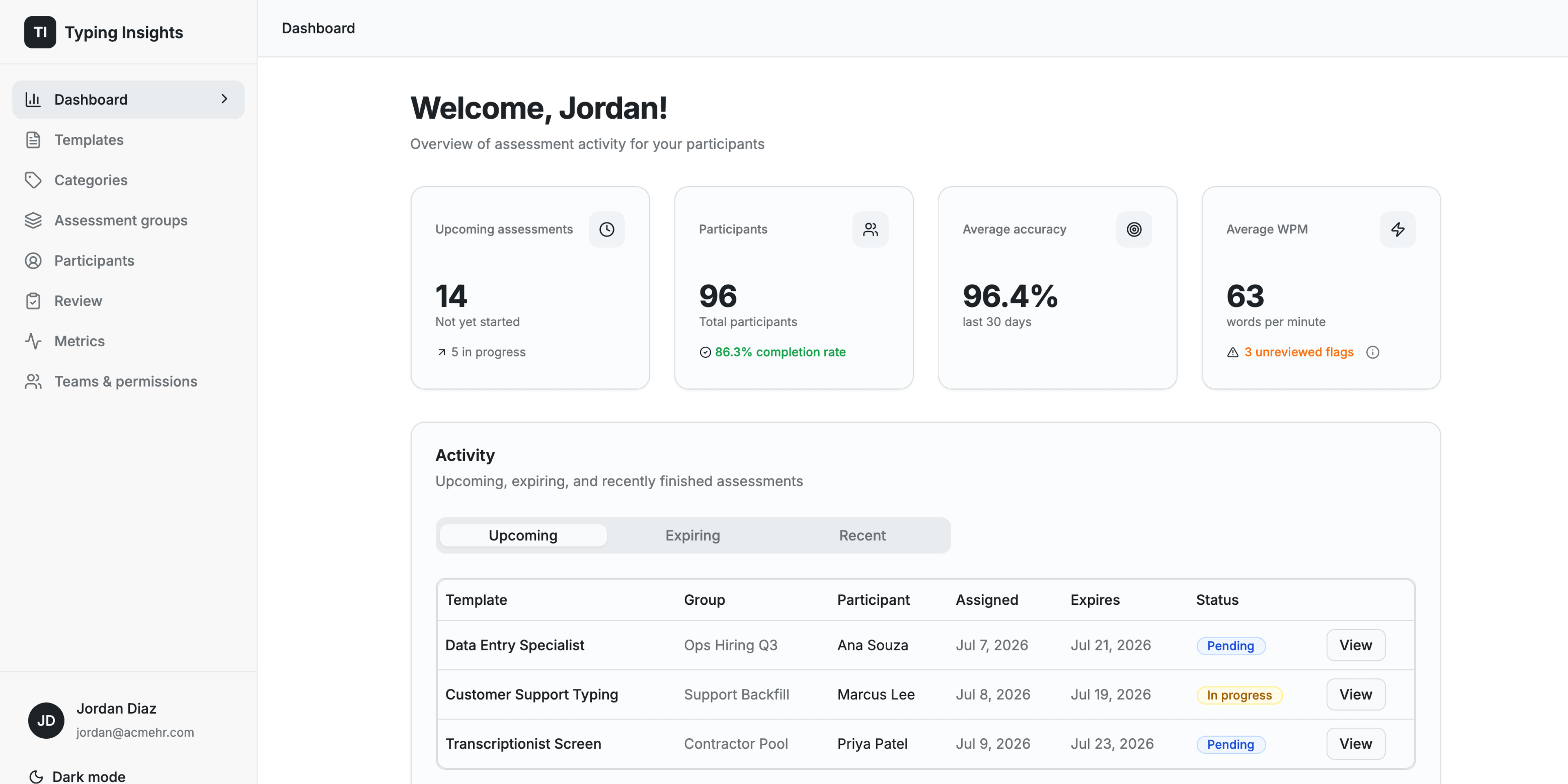
Build reusable templates with your own passage and the test type that matches what you are measuring. Set duration, word-count, or full-text completion, and define the WPM and accuracy needed to pass.
- Timed, full-text, word-count, and practice test types
- Minimum WPM and minimum accuracy pass thresholds
- Retake limits, auto-submit, and backspace controls
- Versioned template configs with an editable history
Watch exactly how someone typed
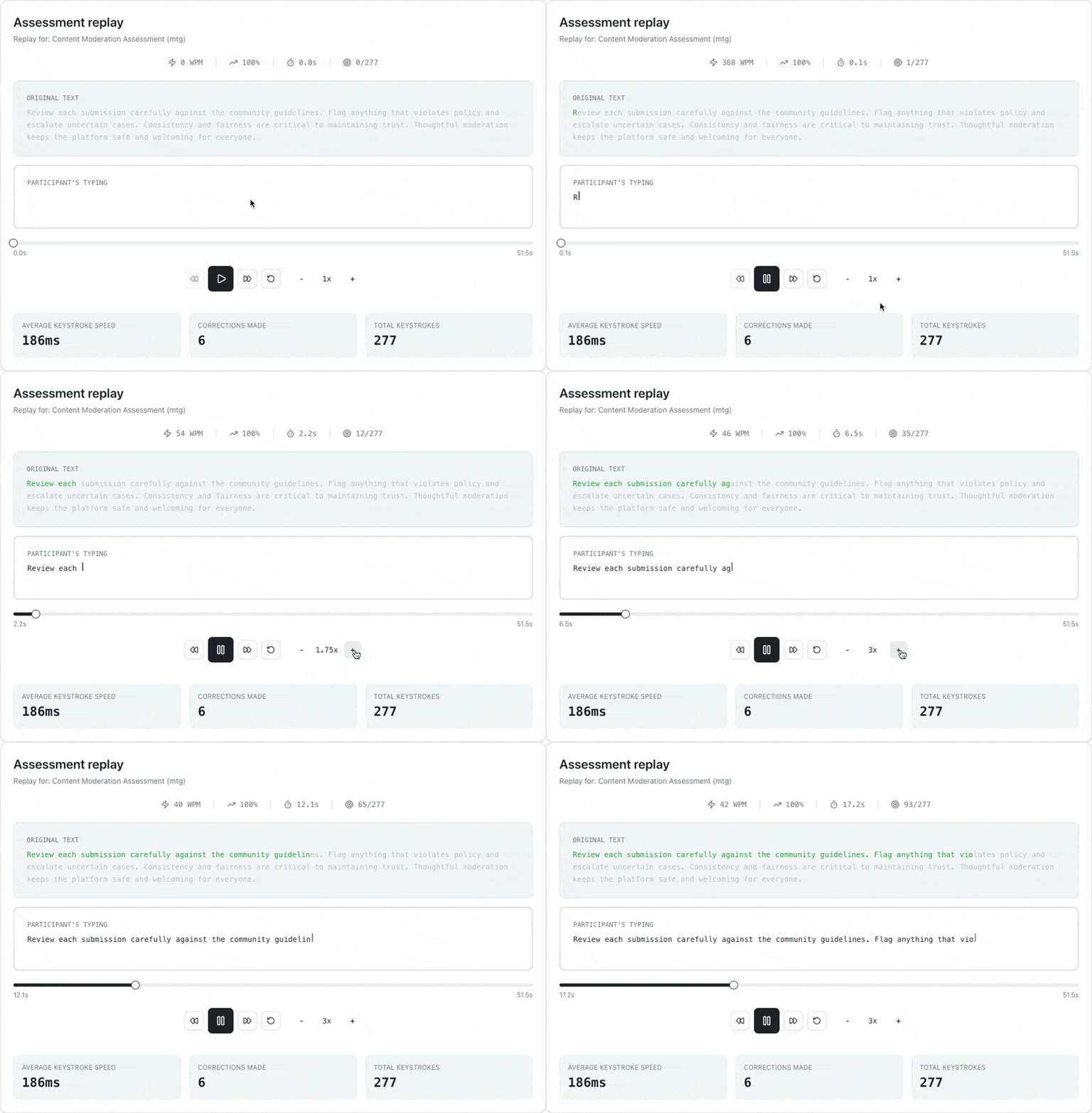
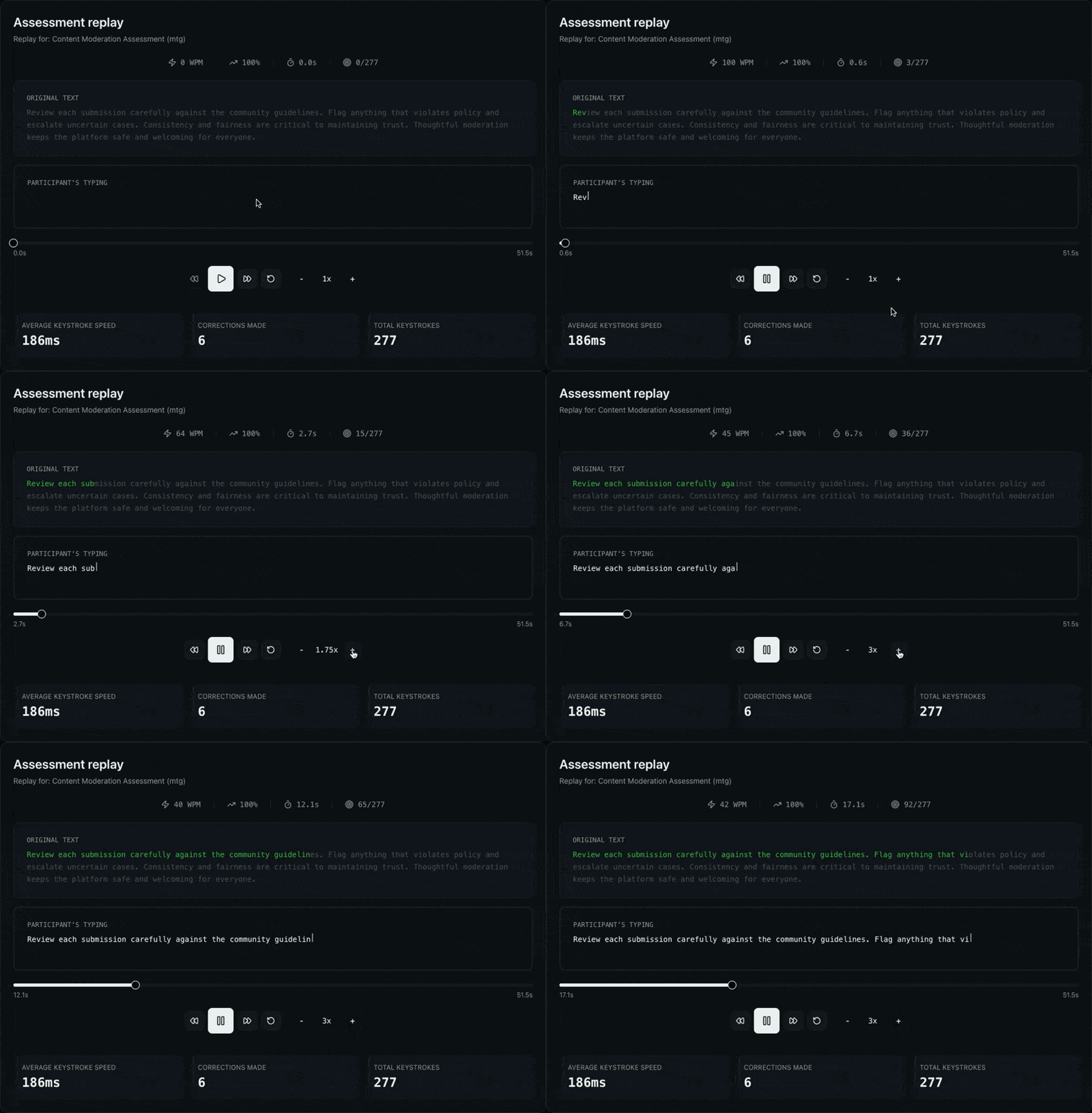
Go beyond a final score. Replay any attempt keystroke by keystroke to see how a participant reached their result—corrections, pacing, and pauses included. Play at 0.25x to 4x with a character-level view of what was typed versus the original passage.
- Keystroke-level session replay with speed control
- Character-by-character diff against the source passage
- WPM, accuracy, and elapsed time as the replay plays
- Keystroke insights: pacing, backspaces, and total keystrokes
See performance across your whole program
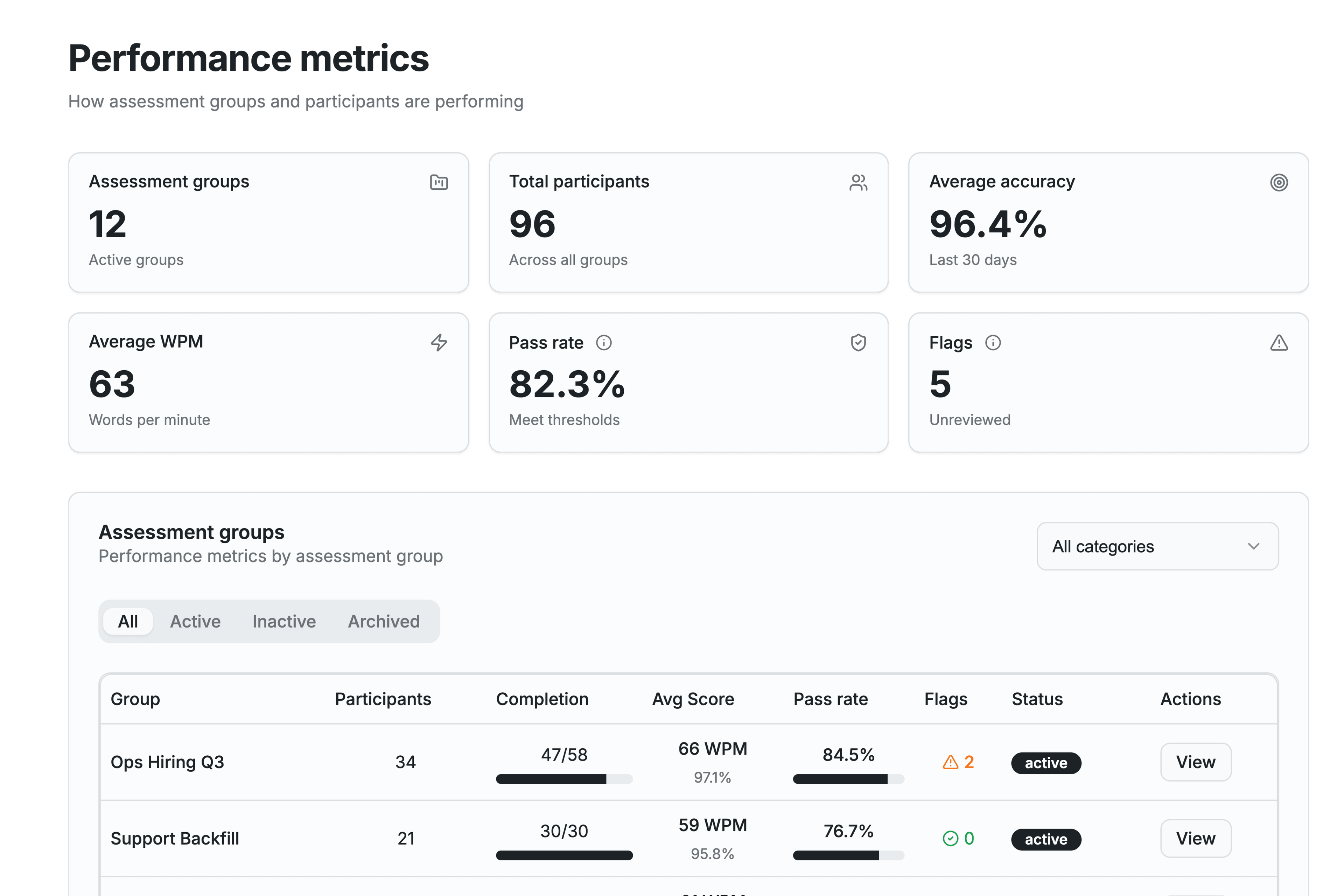
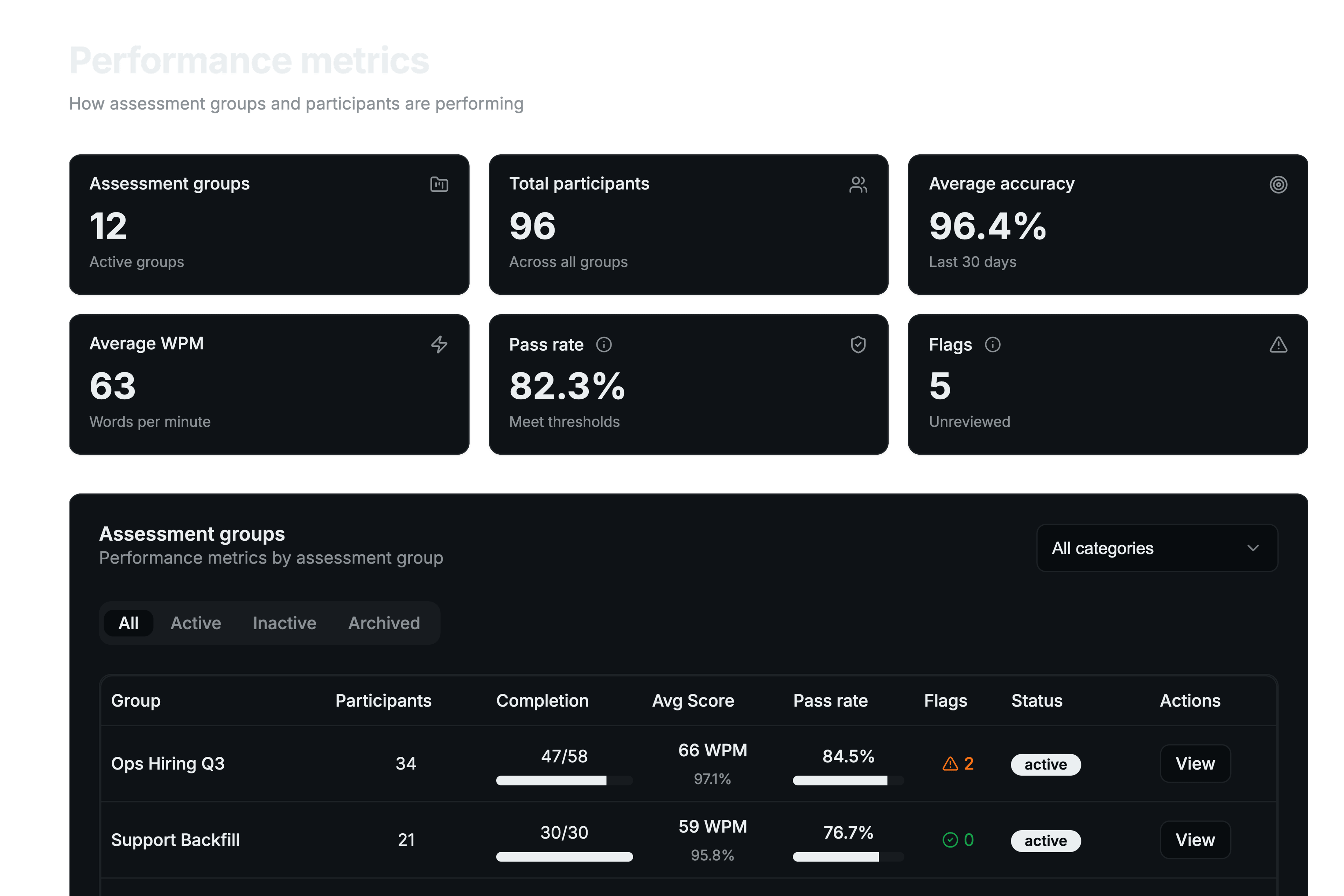
Track outcomes at every level. Program KPIs roll up completion, pass rate, and average WPM and accuracy, with breakdowns by assessment group, template, and participant so you can spot trends and top performers.
- Program KPIs: completion, pass rate, average WPM and accuracy
- Breakdowns by group, template, and participant
- Average completion time and error counts
- Top performers and recent activity at a glance
Run assessments like a repeatable program
Bundle templates into assessment groups, organize them with categories, and assign to cohorts in a few clicks. Set expiration windows, send email invitations, and manage the full lifecycle from one place.
- Bundle multiple templates into a single assignable group
- Categories to organize by purpose or cohort
- Expiration dates and email invitations
- Lifecycle actions: extend, expire, revoke, or bump to the latest version
Surface sessions worth a second look
Typing patterns that differ enough from the norm are flagged for staff review, ranked by severity. Flags are a prompt to look closer with replay—not proof of a problem—so your team reviews the right sessions first.
- Automatic flags for atypical typing patterns
- Severity levels from low to critical
- Review state and notes to track what has been checked
- Pairs with Review & Replay for fast investigation
Collaborate with role-based access
Invite your hiring or training team, assign roles with custom permissions, and switch between multiple teams or organizations. Seat usage and management are built in.
- Invite members with roles and custom permissions
- Multiple teams and organizations with quick switching
- Shared review notes on individual attempts
- Seat management with usage visibility
A test experience participants actually enjoy
Give participants a modern, professional experience in a secure portal. The distraction-free interface works on any device, with optional real-time feedback that keeps people engaged through the assessment.
- Clean, distraction-free testing interface
- Works on desktop, tablet, and mobile browsers
- Optional live WPM and accuracy while typing
- Managed participant identities with secure portal credentials
Make it yours
Match the platform to how your organization works. Add your company name and logo for participant-facing branding, choose what you call participants, and control notifications and data retention.
- Custom company branding on participant-facing pages
- Custom participant label (Candidate, Student, and more)
- Email notifications when tests complete or expire
- Configurable data retention and default expiration
Ready to transform your hiring process?
Get a fair, fast typing assessment workflow your whole team can rely on.
Pay As You Go available • No subscription required to start