Accurate typing tests for
confident hiring decisions
Set up, administer, and review pre-employment typing assessments in minutes—with reusable templates, keystroke-level replay, and program analytics for every participant.
Challenges we help with
Typing Insights gives HR, talent, and training teams one standardized way to build assessments, run them in the browser, and review WPM, accuracy, and full session replays in one place.
Fair comparisons
Compare participants on real typing performance when self-reported skills do not match what people can actually do.
One process
Replace ad hoc or inconsistent tests with a single standardized workflow and reporting everyone can trust.
Less admin
Cut time spent on setup, follow-up, and manual score tracking across hiring or training programs.
How it works
From building a template to program-wide analytics—one consistent workflow.
Why talent and HR teams choose us
Solve your biggest hiring challenges with one streamlined platform
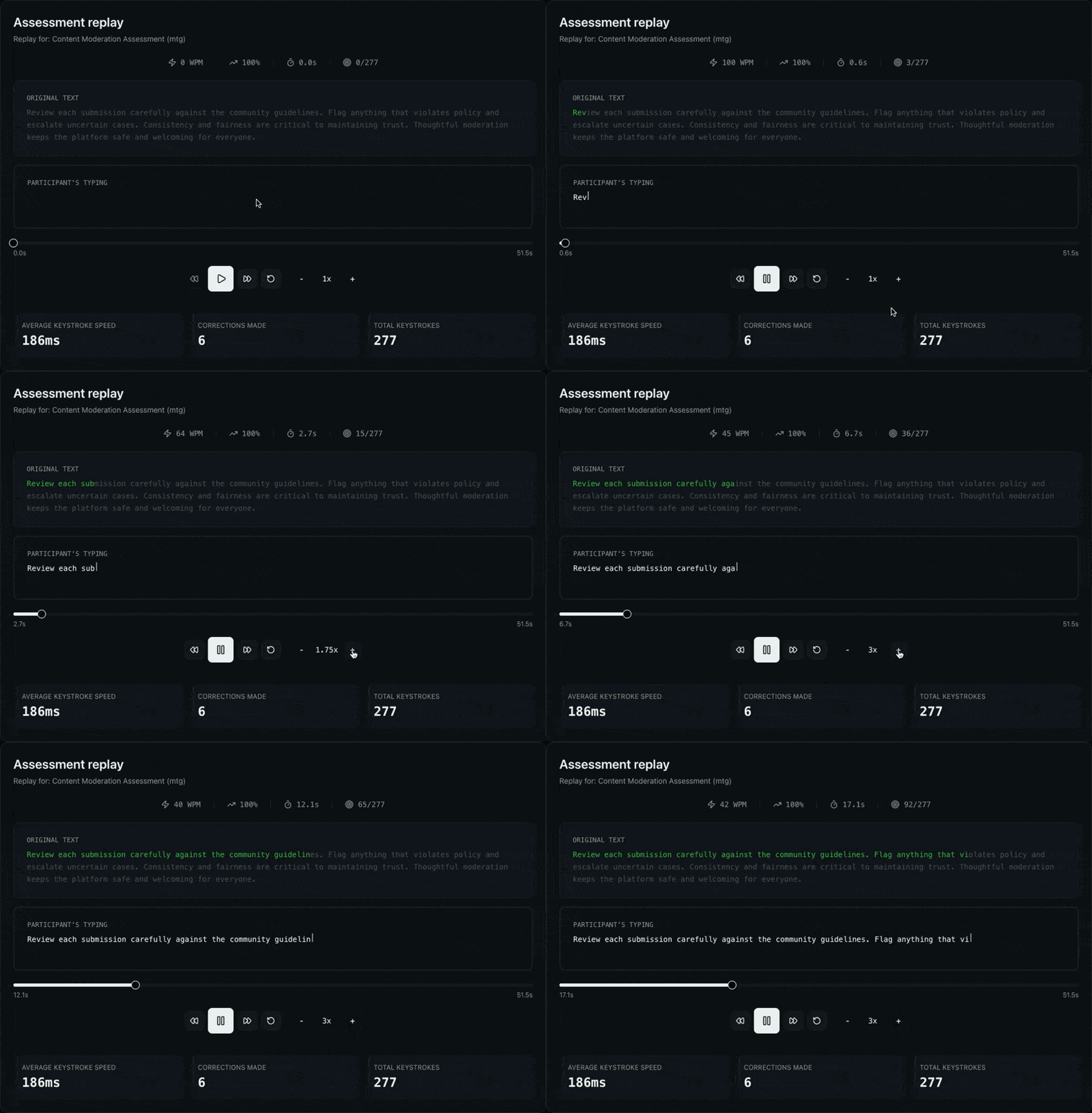
Watch exactly how someone typed
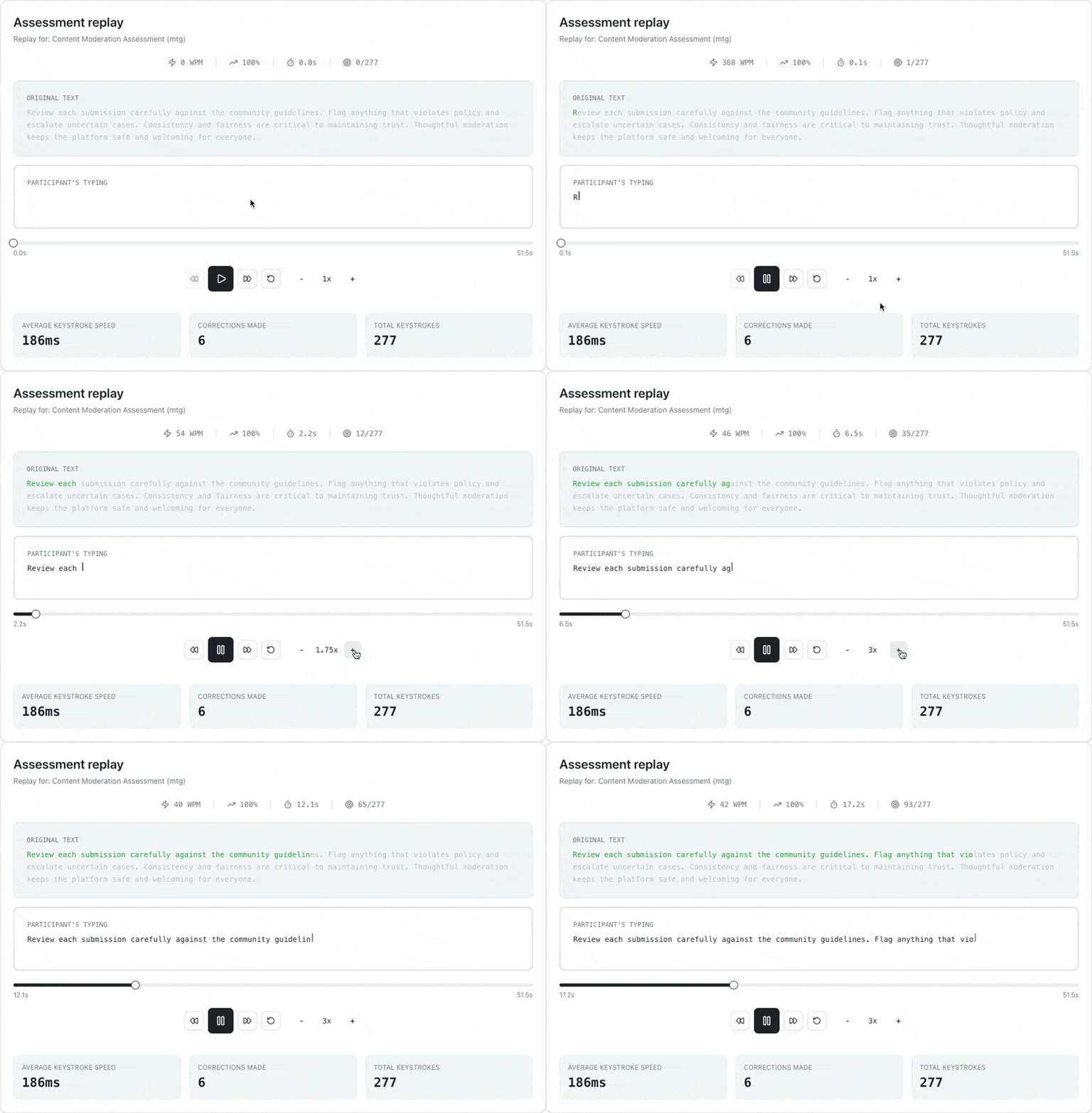
Go beyond a final score. Replay any attempt keystroke by keystroke to see how a participant reached their result—corrections, pacing, and pauses included. Play at 0.25x to 4x with a character-level view of what was typed versus the original passage.
- Keystroke-level session replay with speed control
- Character-by-character diff against the source passage
- WPM, accuracy, and elapsed time as the replay plays
- Keystroke insights: pacing, backspaces, and total keystrokes
See performance across your whole program
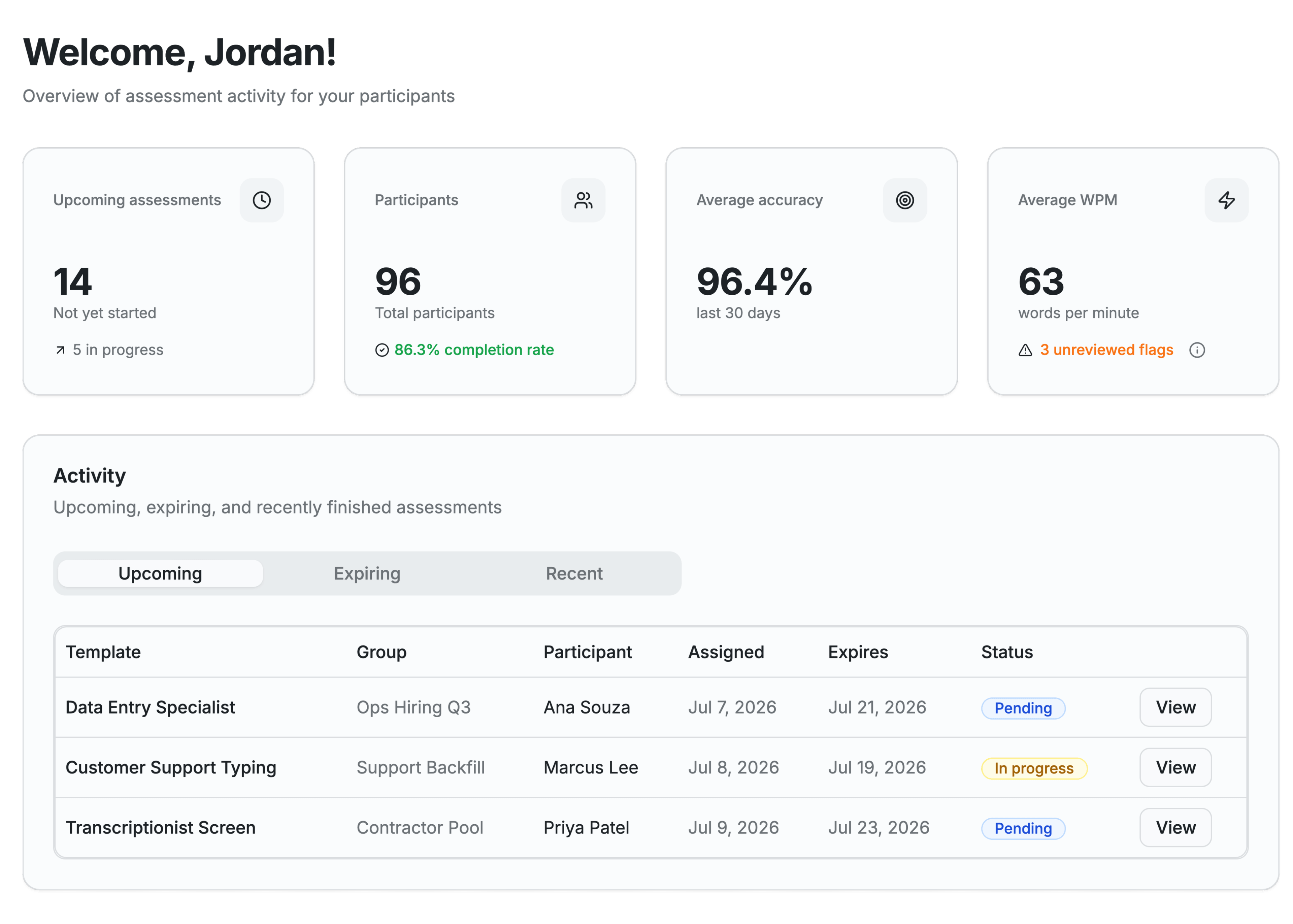
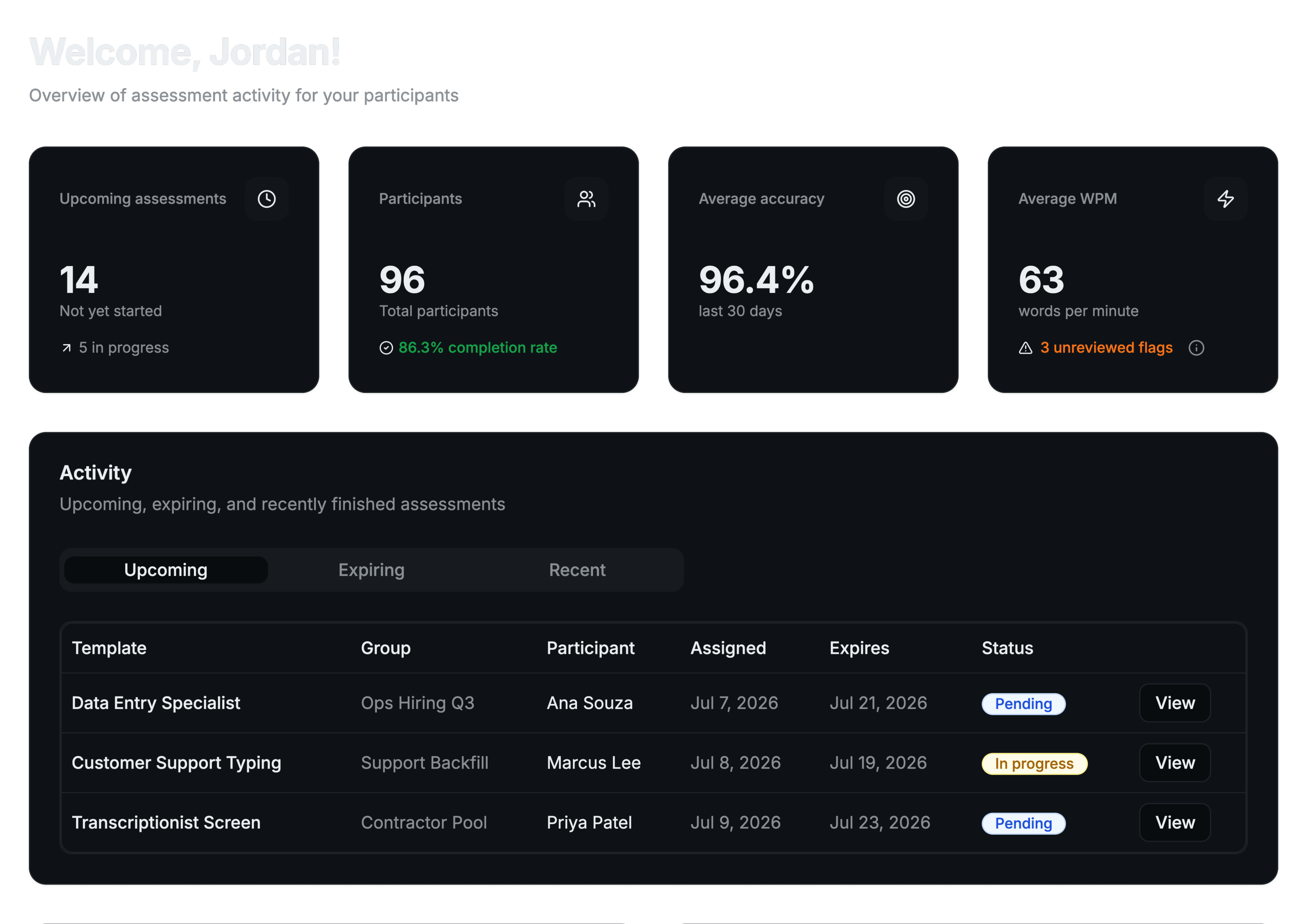
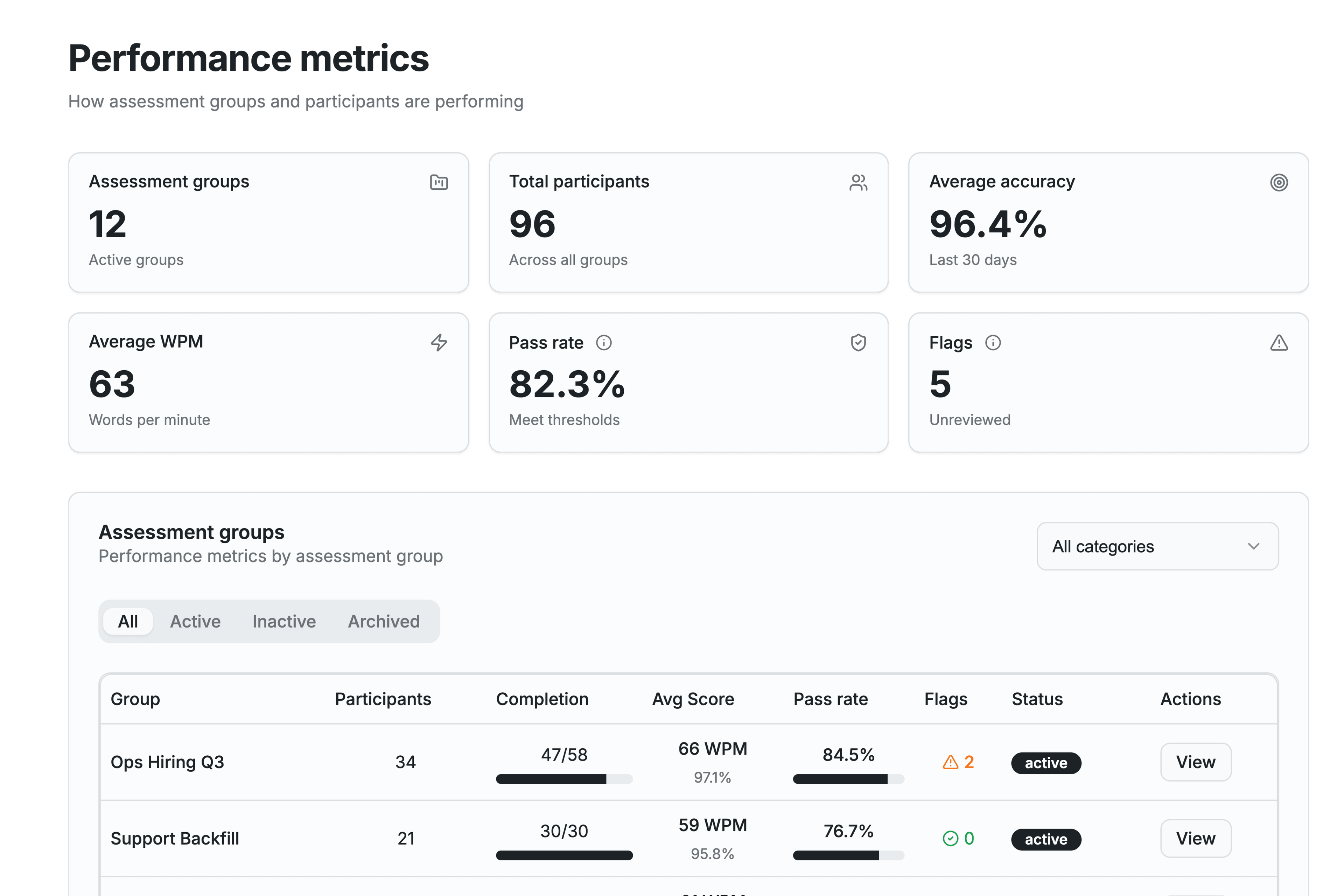
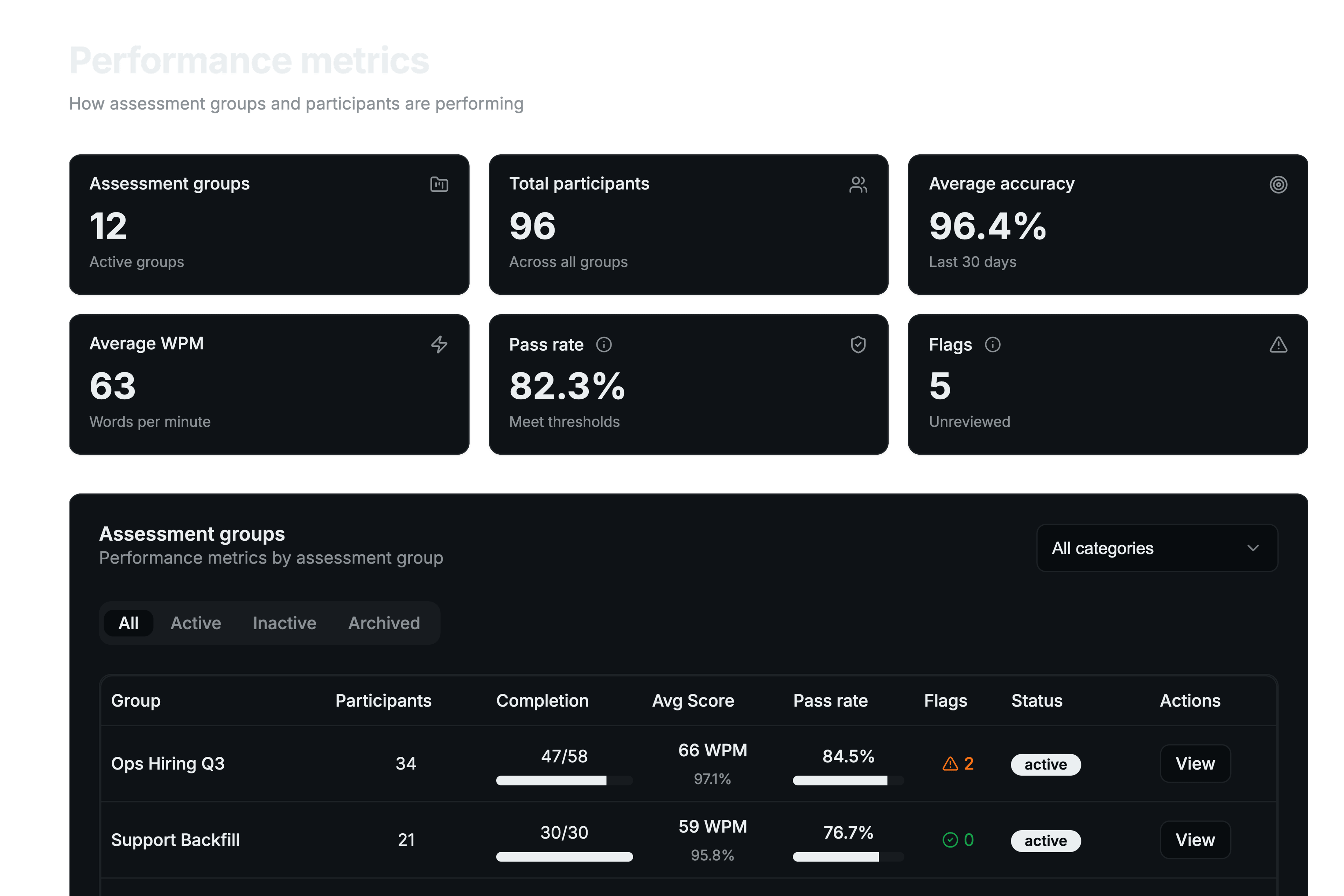
Track outcomes at every level. Program KPIs roll up completion, pass rate, and average WPM and accuracy, with breakdowns by assessment group, template, and participant so you can spot trends and top performers.
- Program KPIs: completion, pass rate, average WPM and accuracy
- Breakdowns by group, template, and participant
- Average completion time and error counts
- Top performers and recent activity at a glance
Simple, transparent pricing
Choose the plan that fits your assessment volume
Pay As You Go
Perfect for occasional assessments — 1 test template, 1 member, pay only when you assign tests
- 5 test templates
- 25 participants per month
- 2 members, 1 team
- Program metrics & analytics
- Email support
- Export reports (PDF)
+$10/mo per additional member
- 20 test templates
- 100 participants per month
- Up to 5 members, 1 team
- Advanced analytics
- Review & Replay
- Custom branding
- Priority support
- Export reports (PDF, CSV, Excel)
+$10/mo per additional member
- Unlimited test templates
- 500 participants per month
- Up to 10 members, 5 teams
- Advanced analytics
- Review & Replay
- Custom branding
- Team management
- Priority support
- Export reports (PDF, CSV, Excel)
+$10/mo per additional member
Enterprise
For organization-wide deployment — unlimited participants, unlimited members and teams, SSO & advanced security, dedicated account manager, and custom integrations with API access.
What hiring teams are looking for
Representative examples of how teams use Typing Insights
Reusable templates and assessment groups cut our setup time dramatically—we assign a whole cohort in a couple of minutes.
Keystroke replay is the difference-maker. Instead of trusting a number, we can see exactly how someone typed before we decide.
Program metrics and pass rates give us a defensible, consistent bar. Everyone is measured the same way.
Illustrative examples, not attributed customer quotes.
Common questions
Straight answers about what Typing Insights is and how teams use it.
For plan changes, billing, and limits, see the pricing page or the full FAQ.
Ready to streamline your hiring?
Start a subscription or book a quick walkthrough—get a consistent typing assessment process in place this week.
Simple • Accurate • Data-Driven